
Guide & Resources
Managed service features for Weblate
Backups, monitoring, security, updates and support: everything Elestio manages for your Weblate instance.
Backups, monitoring, security, updates and support: everything Elestio manages for your Weblate instance.
Elestio runs Weblate for you on a dedicated virtual machine, on the cloud provider and region of your choice. Deployment, updates, backups and monitoring are handled by Elestio, so your team can focus on using Weblate.
Get the latest version of Weblate up and running in minutes, with Elestio's managed service. Choose your preferred cloud provider, region, and resources, and we'll take care of the rest.
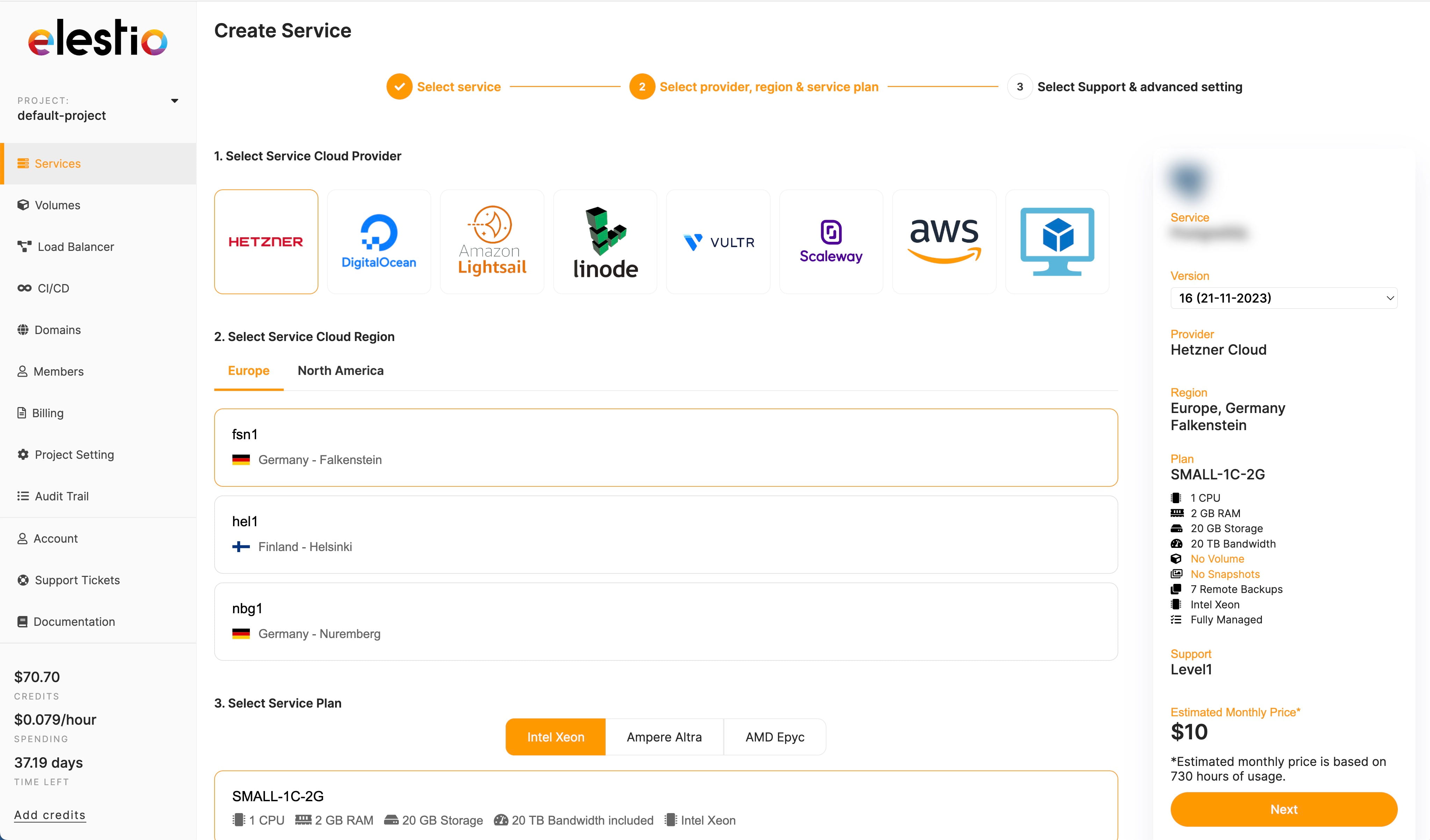
Follow our installation guide to get started.
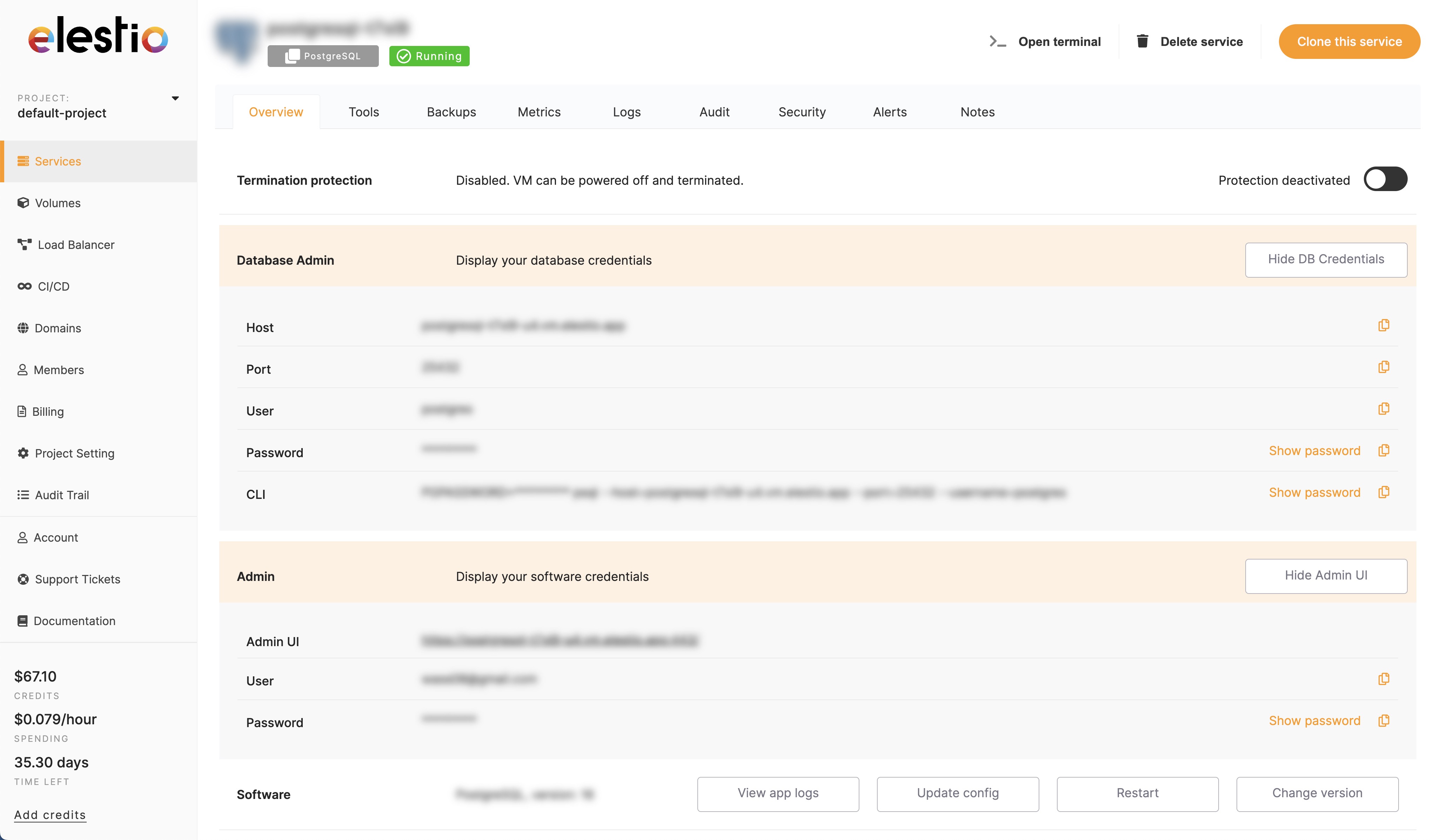
We generate a random password for your Weblate instance. You can change it at any time from the administration dashboard.
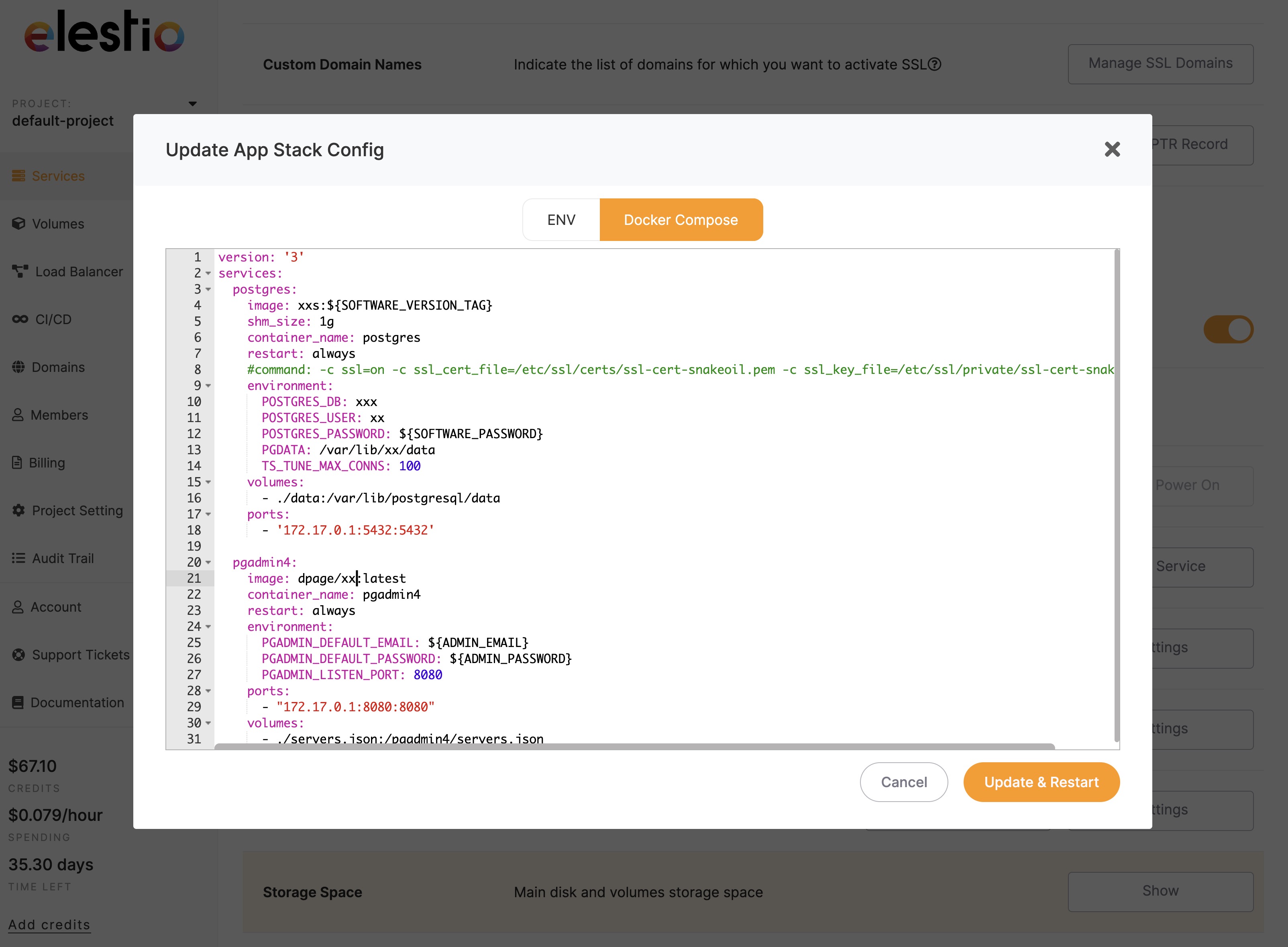
View software information, change software version, update environment variables, and edit the docker compose stack.
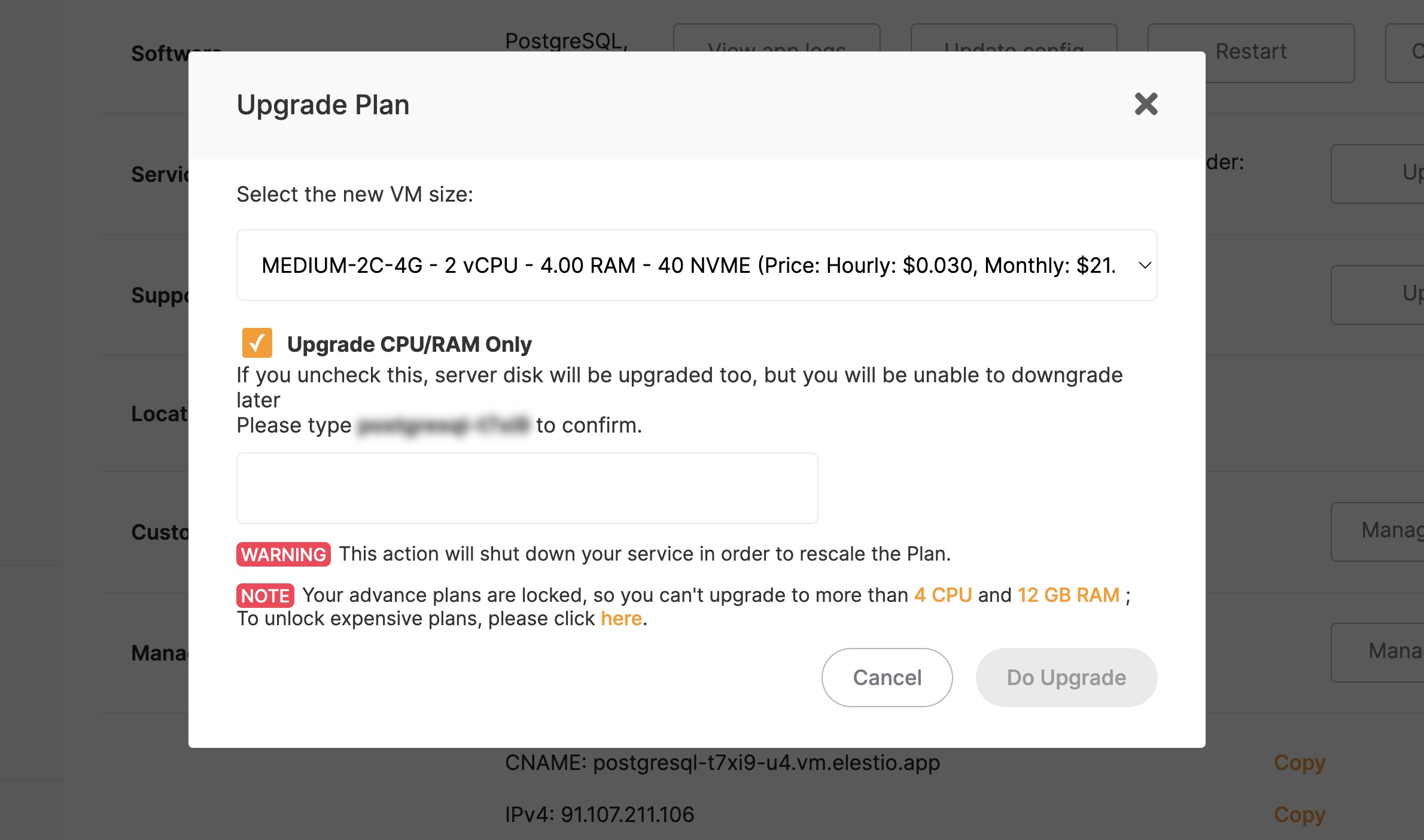
Upgrade or downgrade in place your Weblate instance. You can resize your service to get more CPU/RAM instantly.
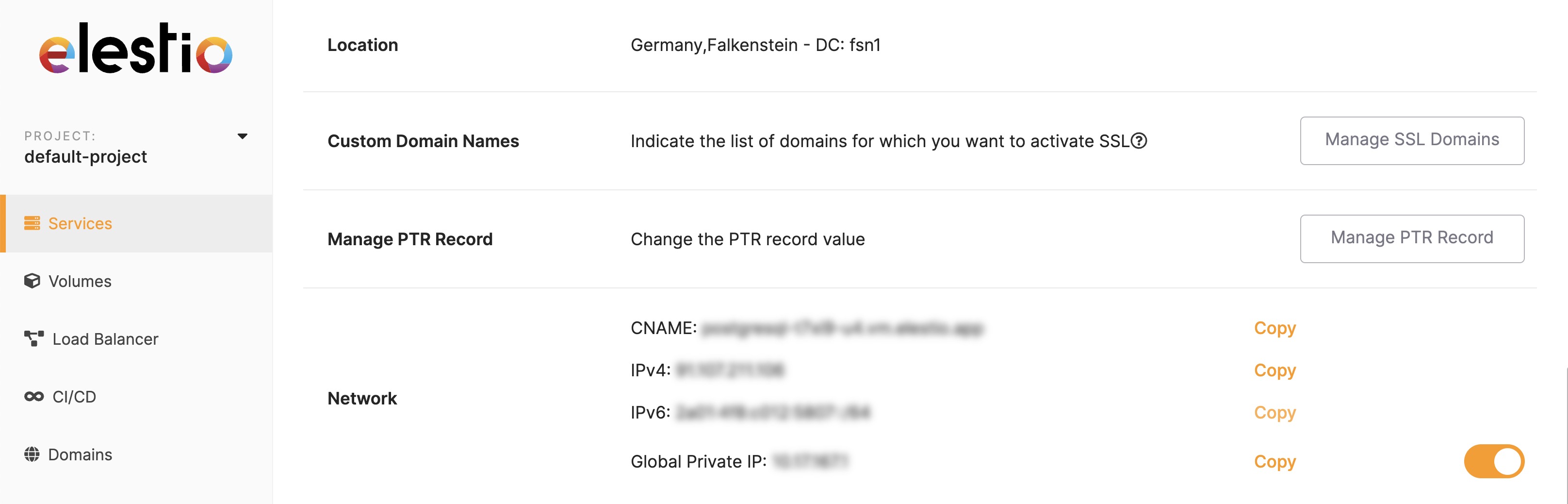
Find your ipv4, ipv6, global private IP addresses, and CNAME. You can also add custom domains to your Weblate instance.
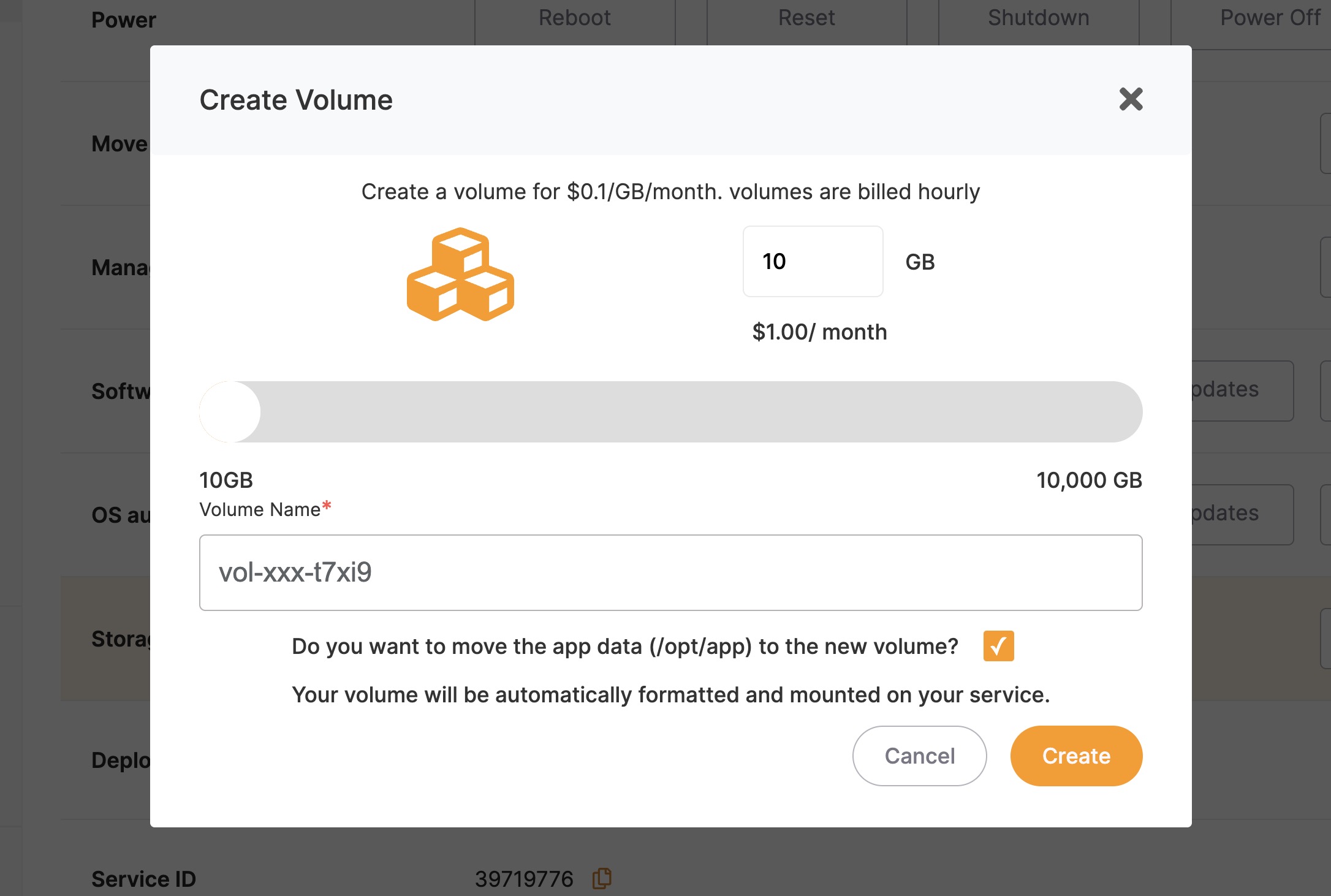
View the storage usage of your Weblate instance and expand it with network volumes.
With our monitoring tools, you can keep an eye on your Weblate instance and get notified if something goes wrong.
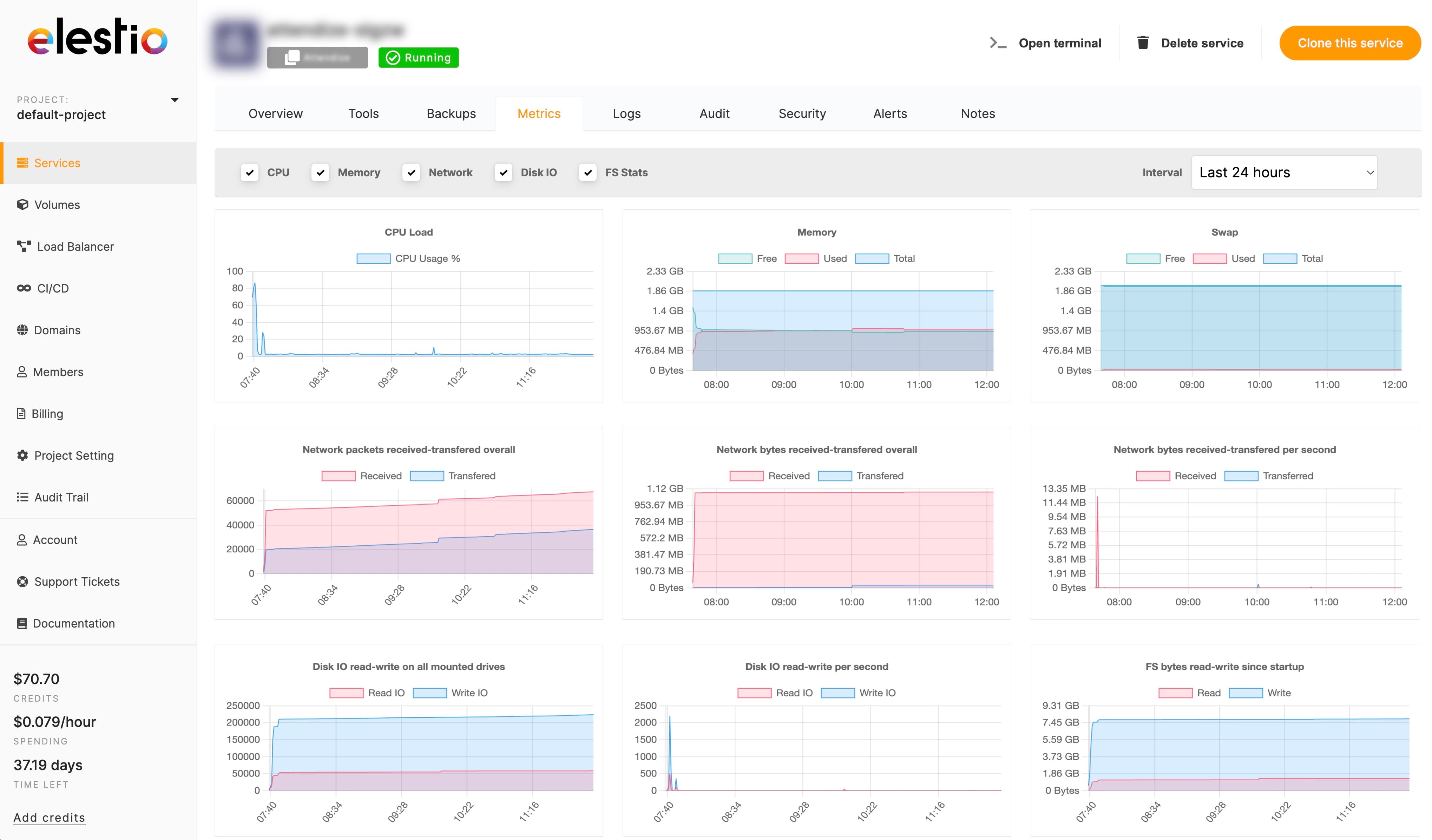
Get real-time metrics about your Weblate instance. CPU, memory, disk usage, network, and more.
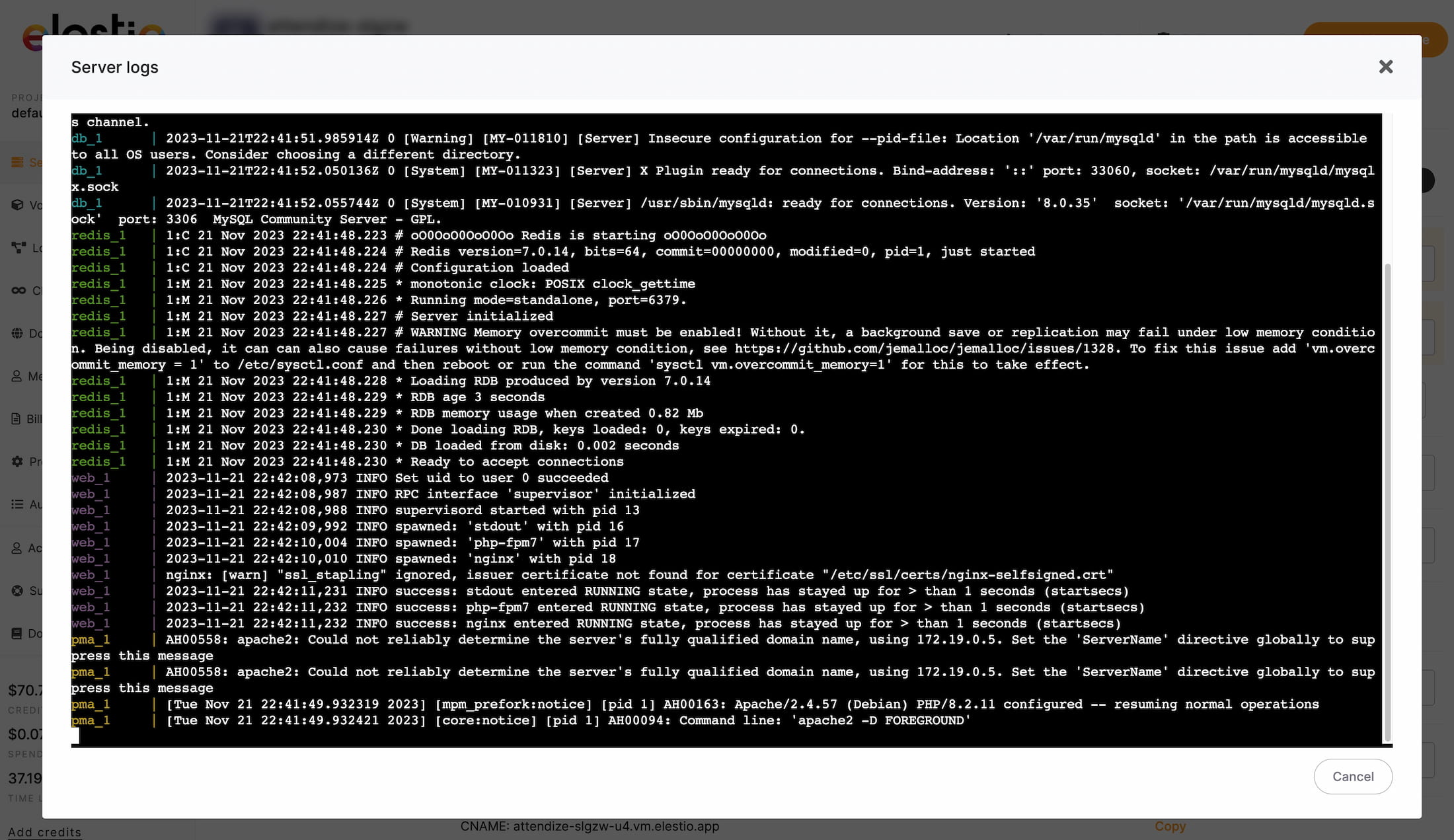
Get access to real-time logs of the instance or Weblate from your dashboard on Elestio. No need to SSH into your instance to debug an issue.
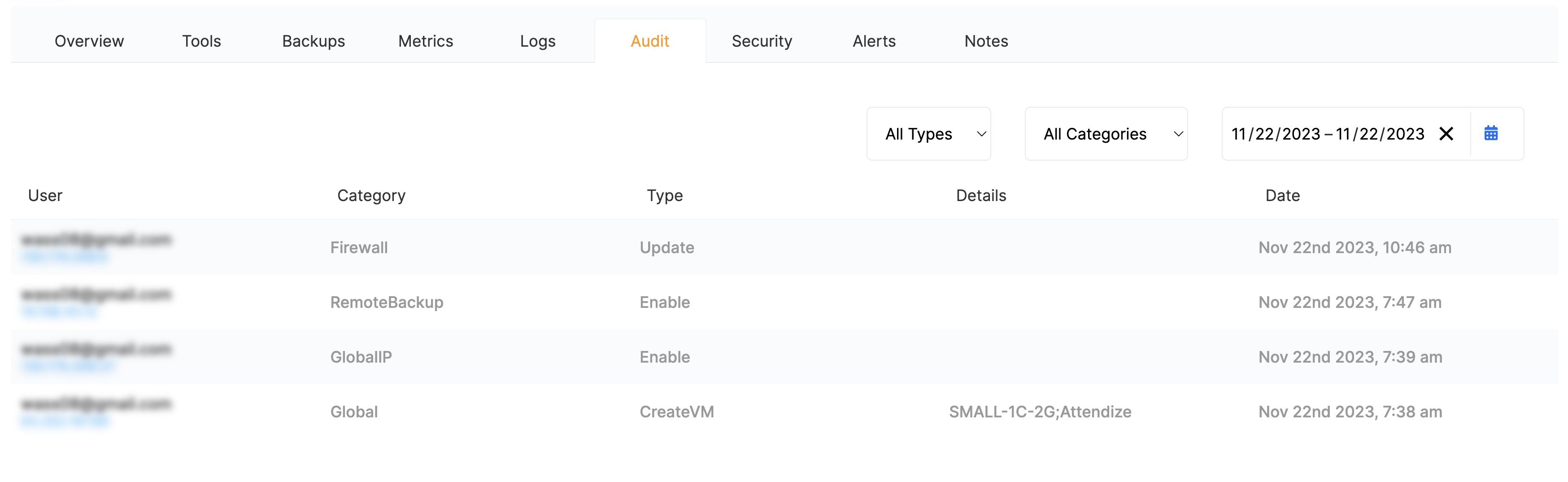
Get a detailed audit trail of all the actions performed on your Weblate instance. From a simple configuration change to a full instance rebuild, you can see who did what and when. Very useful to debug an issue or to keep track of your team's activity.
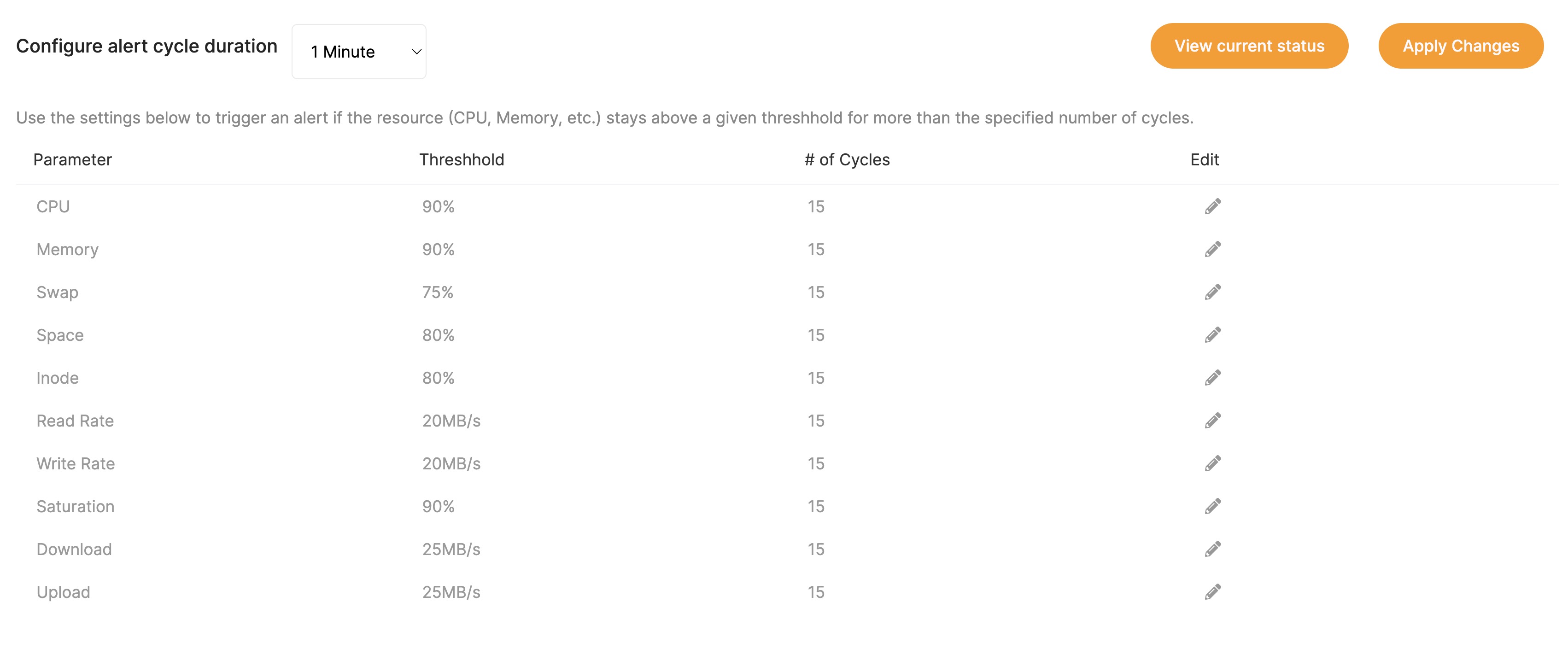
Setup alert thresholds to get notified before an issue occurs. You can determine the threshold and number of occurrences for each metric and get notified by email.
We provide a set of tools to help you manage your Weblate instance. All of them are available on your Weblate dashboard on Elestio.
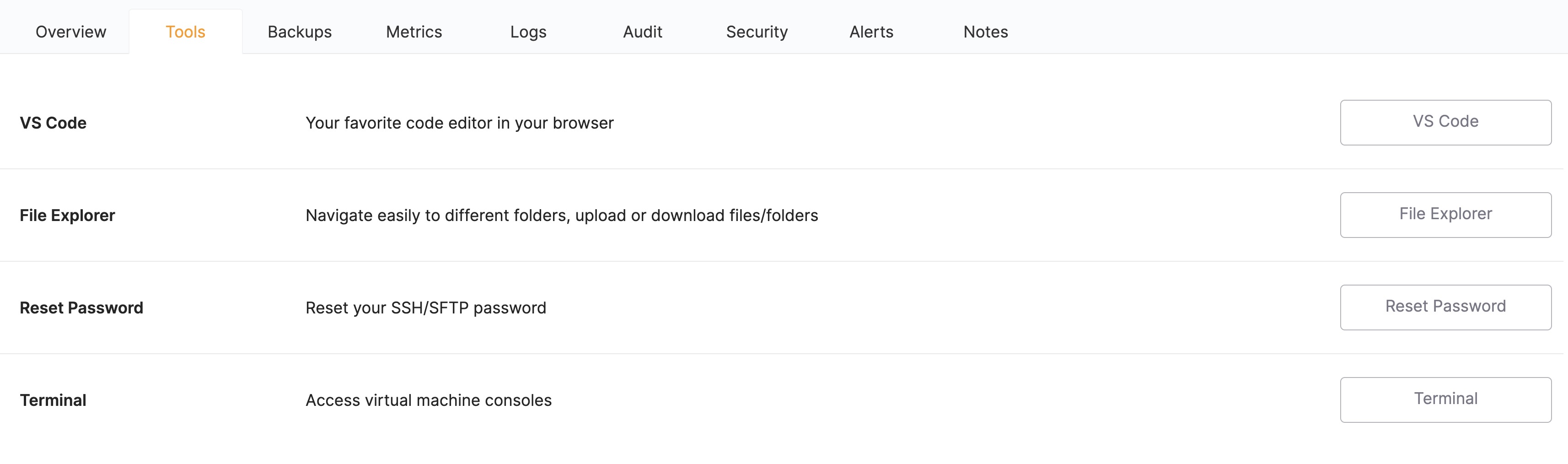
Your Weblate instance is hosted on a dedicated virtual machine. You can access it via SSH to perform any operation you want. From installing a plugin to modifying the configuration file, you have full control over your instance.
While it gives you a lot of flexibility, it is fully optional.
Browse your Weblate instance's files and folders directly from your browser. Take advantage of the available space of your virtual machine to store, browse, and share files.
Edit your Weblate instance's files directly from your browser with VS Code. Removing the need to sync your files locally, you can be sure to always have the latest version of your files when you need them.
We create, configure, and manage your Weblate instance for you but it doesn't mean you can't customize it.
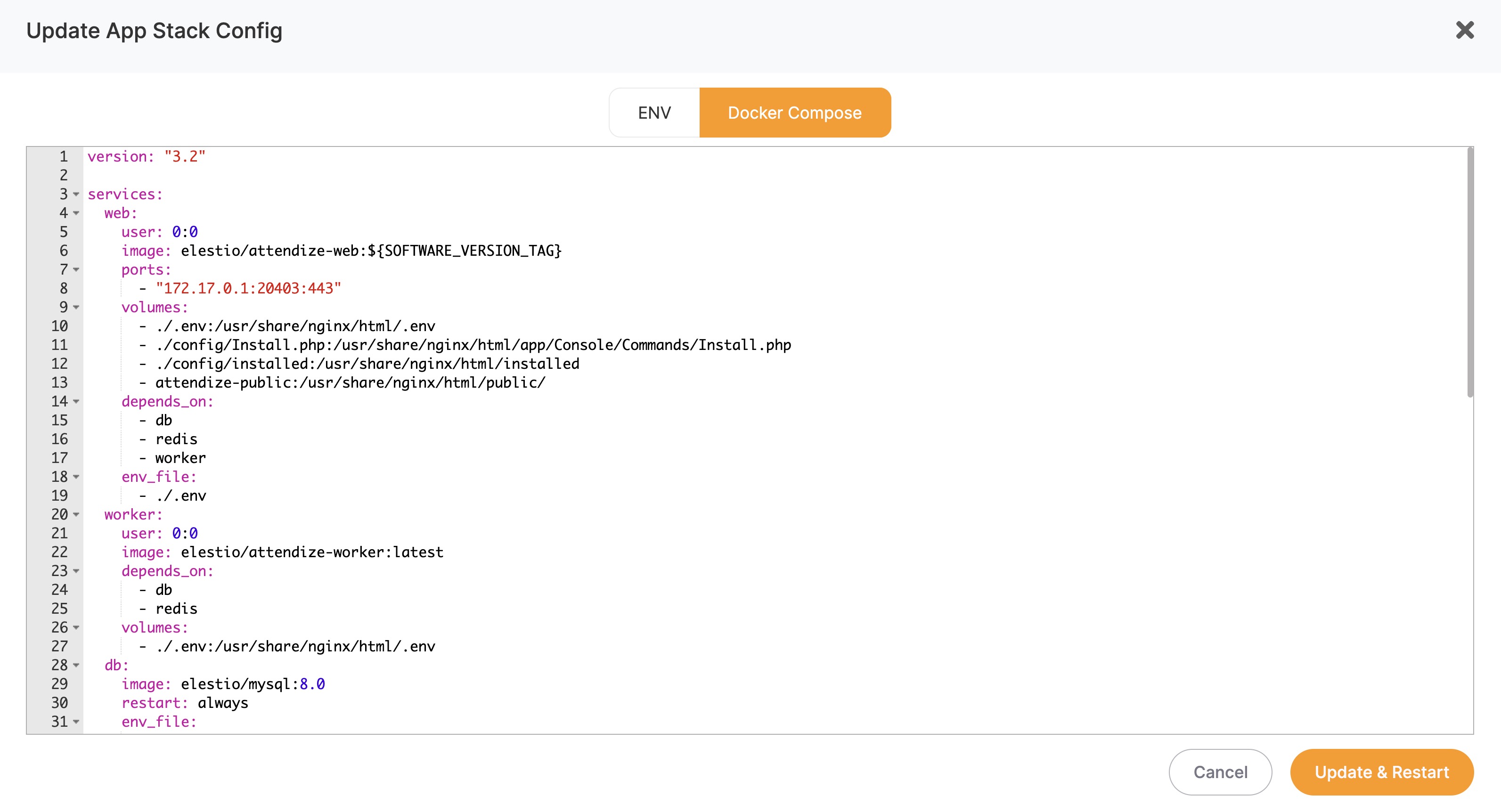
Your instance running Weblate is fully configurable on Elestio's dashboard. From adjusting the resources to changing the configuration file, you have full control over it.
We automatically generate and renew TLS certificates for your domain. It guarantees that your data is encrypted in transit and that your data and your users are safe. It also helps you rank higher in search engines.
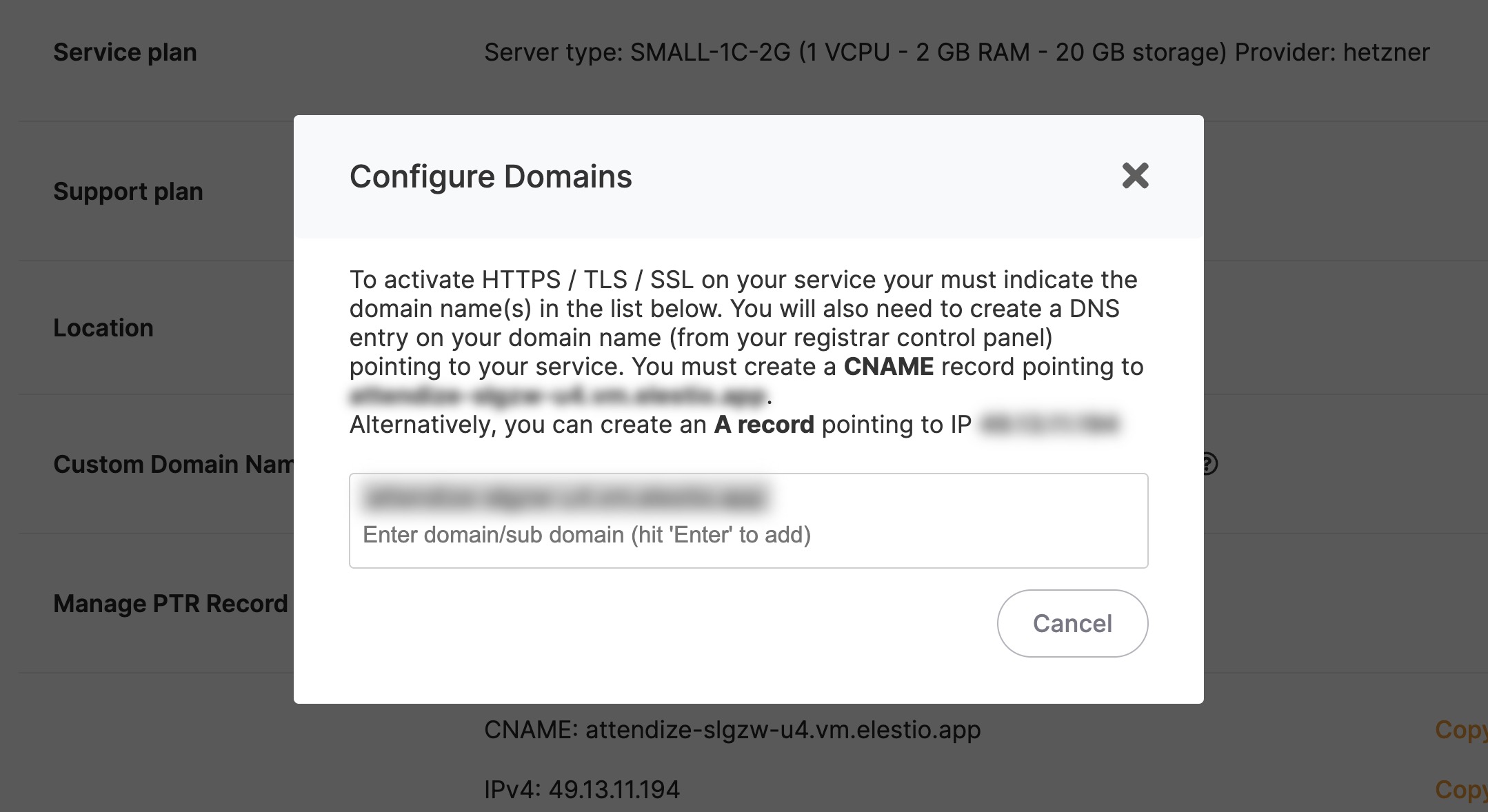
To learn how to add custom domains to your Weblate instance, check out our documentation.
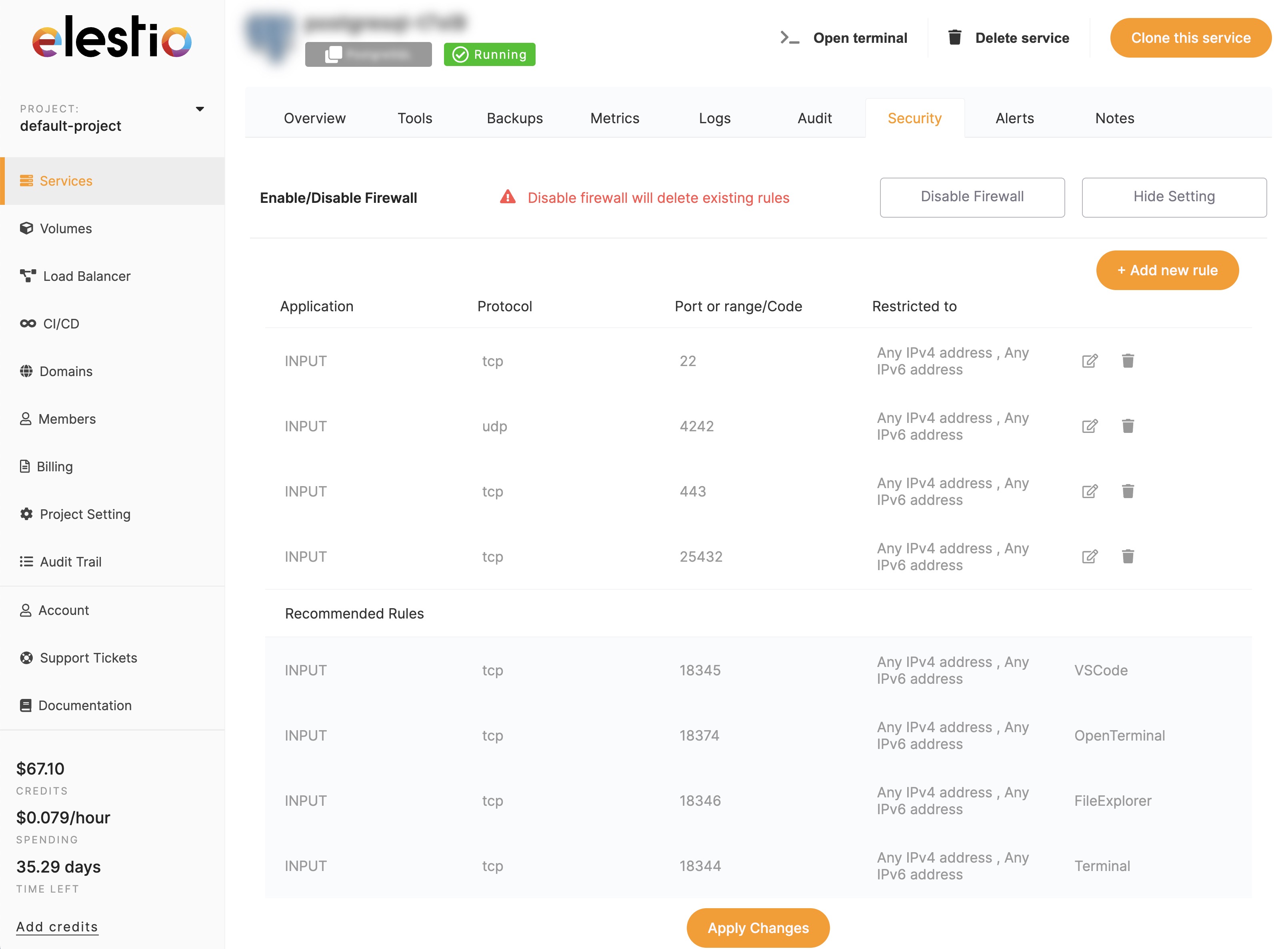
We automatically configure a firewall on your instance to protect it from unauthorized access. You can also configure it to your needs from the administration dashboard.
For advanced use cases, you can configure Nginx to your needs. You can add custom headers, rewrite rules, and more.
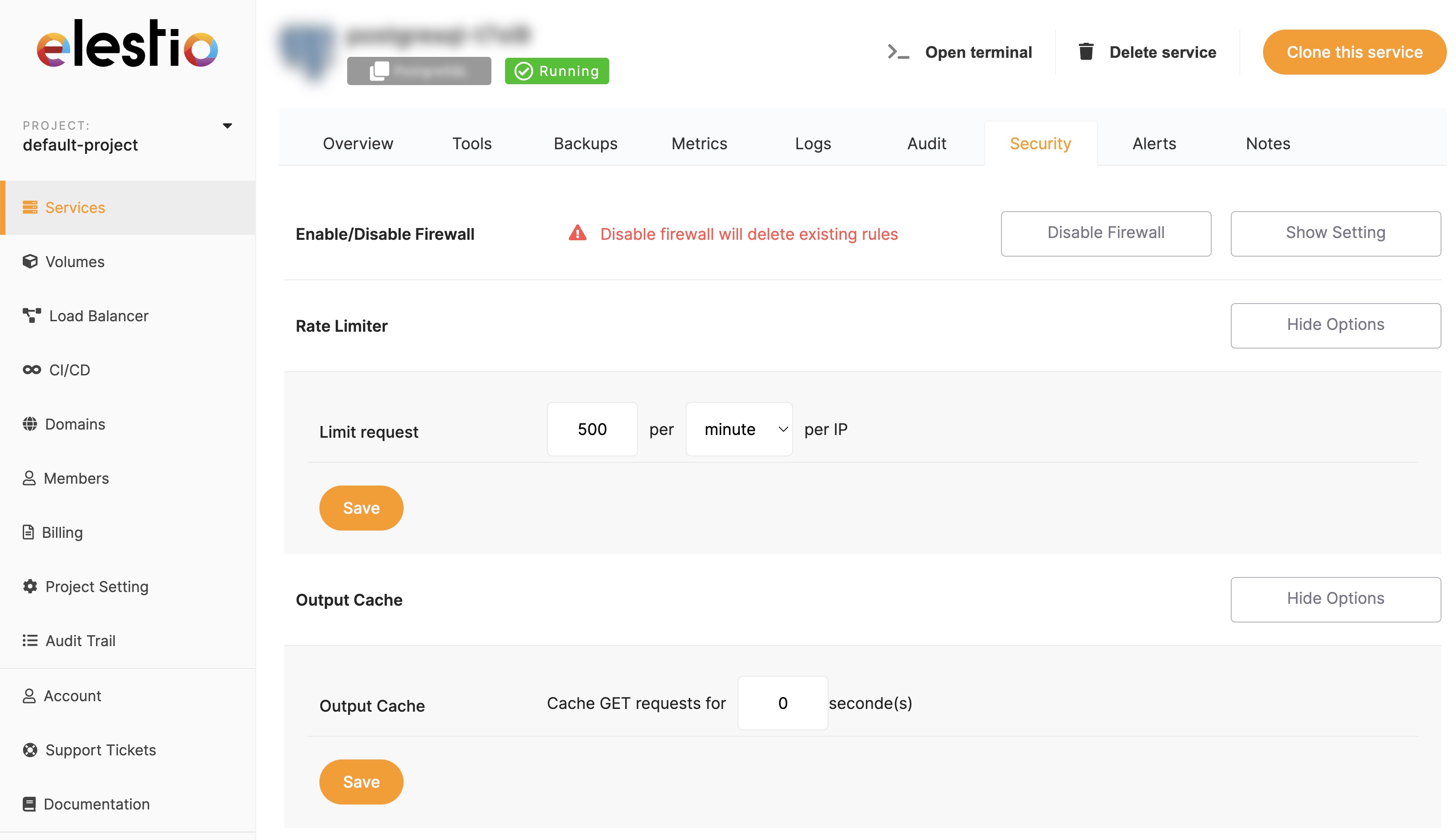
We automatically configure a rate limiter and output caching on your instance to protect it from DDoS attacks and improve its performance. Ensure your Weblate instance is always available and fast.
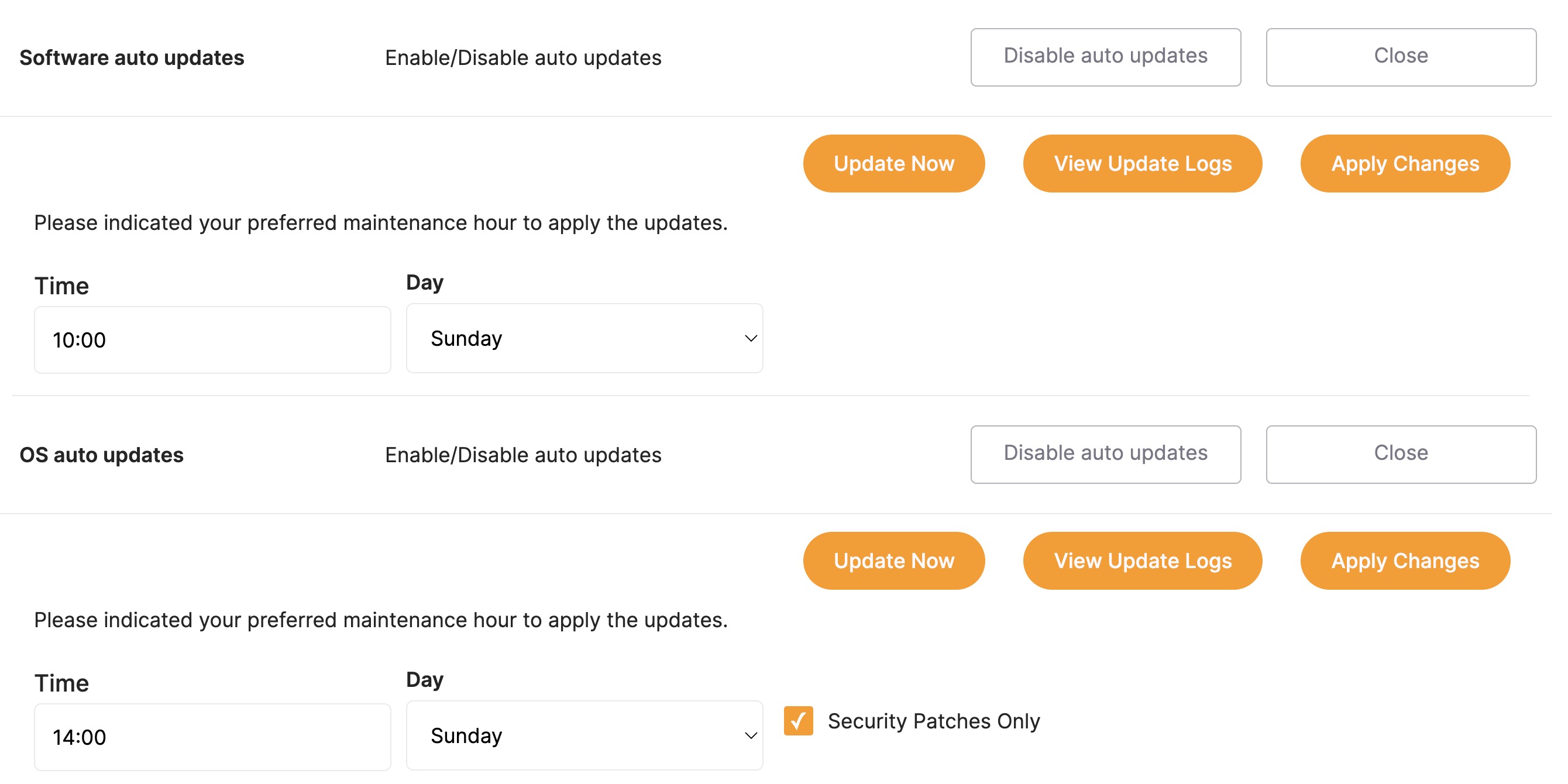
We automatically update your Weblate instance to the latest version. You don't have to worry about security updates or new features, we take care of it for you.
Decide the best time for your instance to be updated from the administration dashboard.
This setting is optional, and you can disable it at any time if you want to update your instance manually or stick to a specific version of Weblate.
We automatically update your virtual machine's operating system to the latest version. You don't have to worry about security and optimization updates. Adjust the update schedule to your needs from the administration dashboard.
We provide multiple backup options for your Weblate instance.
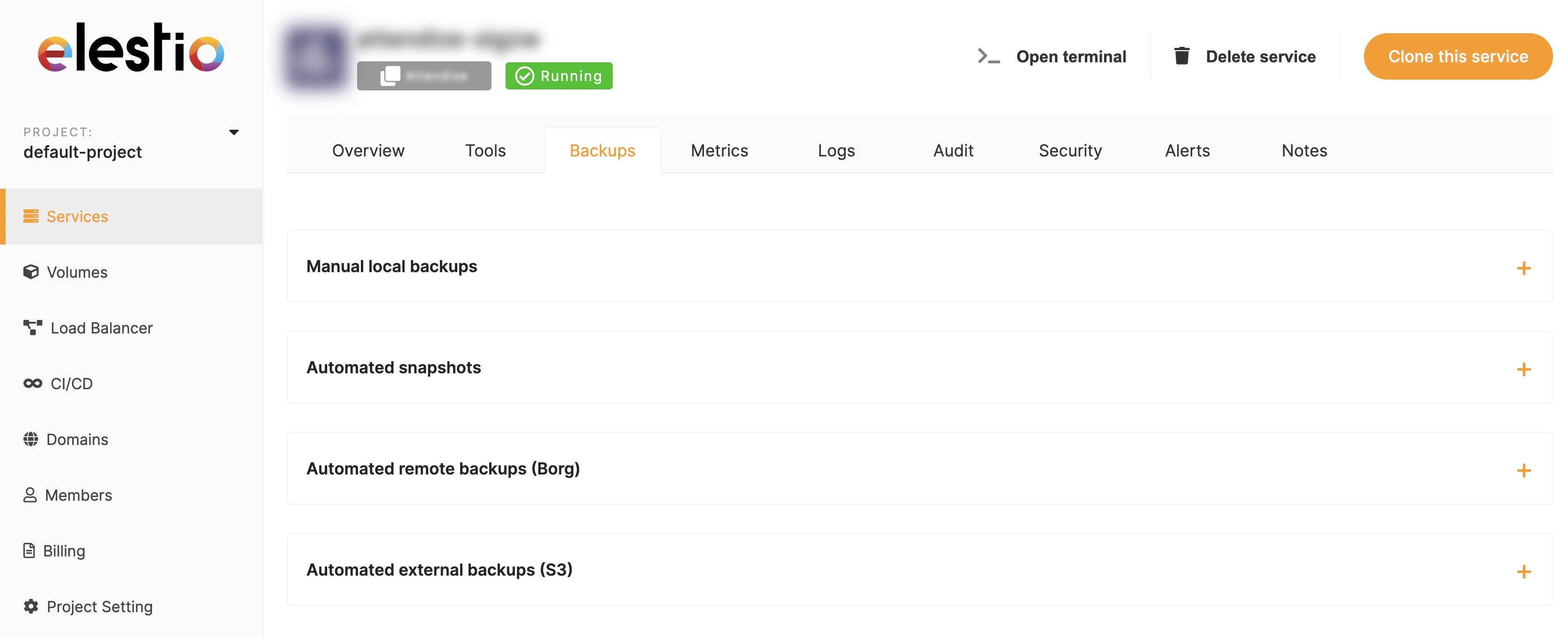
Manual local backups: Create a backup of your instance at any time from the administration dashboard. You can download it to your computer or keep it on your virtual machine. Read more...
Automated remote backups (Borg): We automatically create a backup of your data every day and store it on a remote server in the same region as your instance. You can restore it at any time from the administration dashboard. Read more...
Automated external backups (S3): We automatically create a backup of your data every day and store it on an external S3 compatible storage provider (AWS S3, Minio, Cloudflare R2). You can restore it at any time from the administration dashboard. Read more...
If you have an existing Weblate instance, you can simply migrate them to your new Elestio instance. We provide a set of tools and documentation to help you migrate your data. Check out our migration documentation to see how to migrate your data.
Migrations work both ways. If you want to migrate your Elestio Weblate instance to another provider, you can do it too. With our backup tools, you can easily migrate all your data in a few clicks. No lock-in, no hassle.
If you have a lot of traffic on your Weblate instance, you can enable the load balancer to distribute the load between multiple instances. It will help you scale your application and improve its performance.
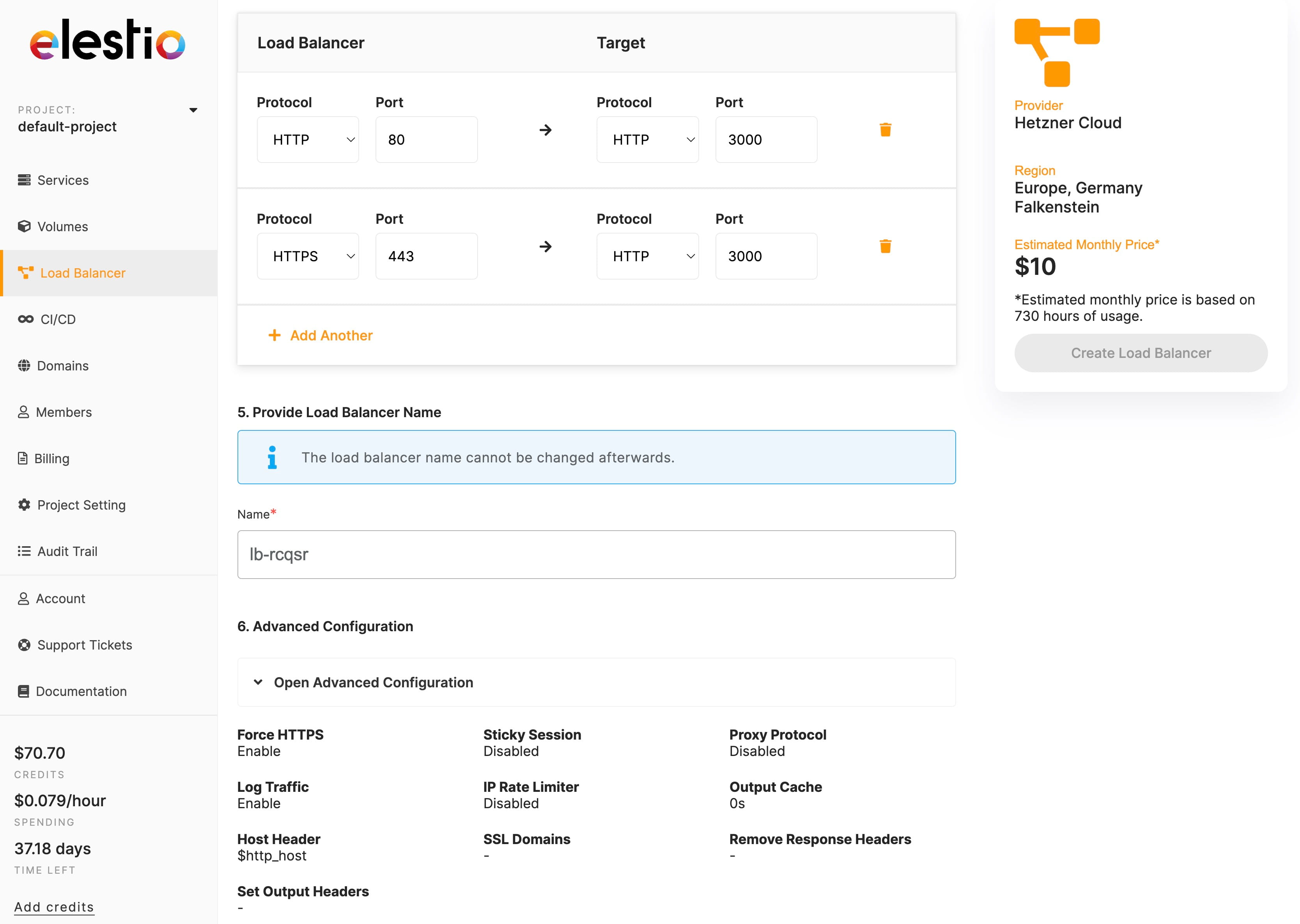
Learn how to create a load balancer and add your Weblate to it by reading our load balancer documentation
We are here to help you have the best experience with Weblate. We offer multiple support options to help you with any issue you may encounter.
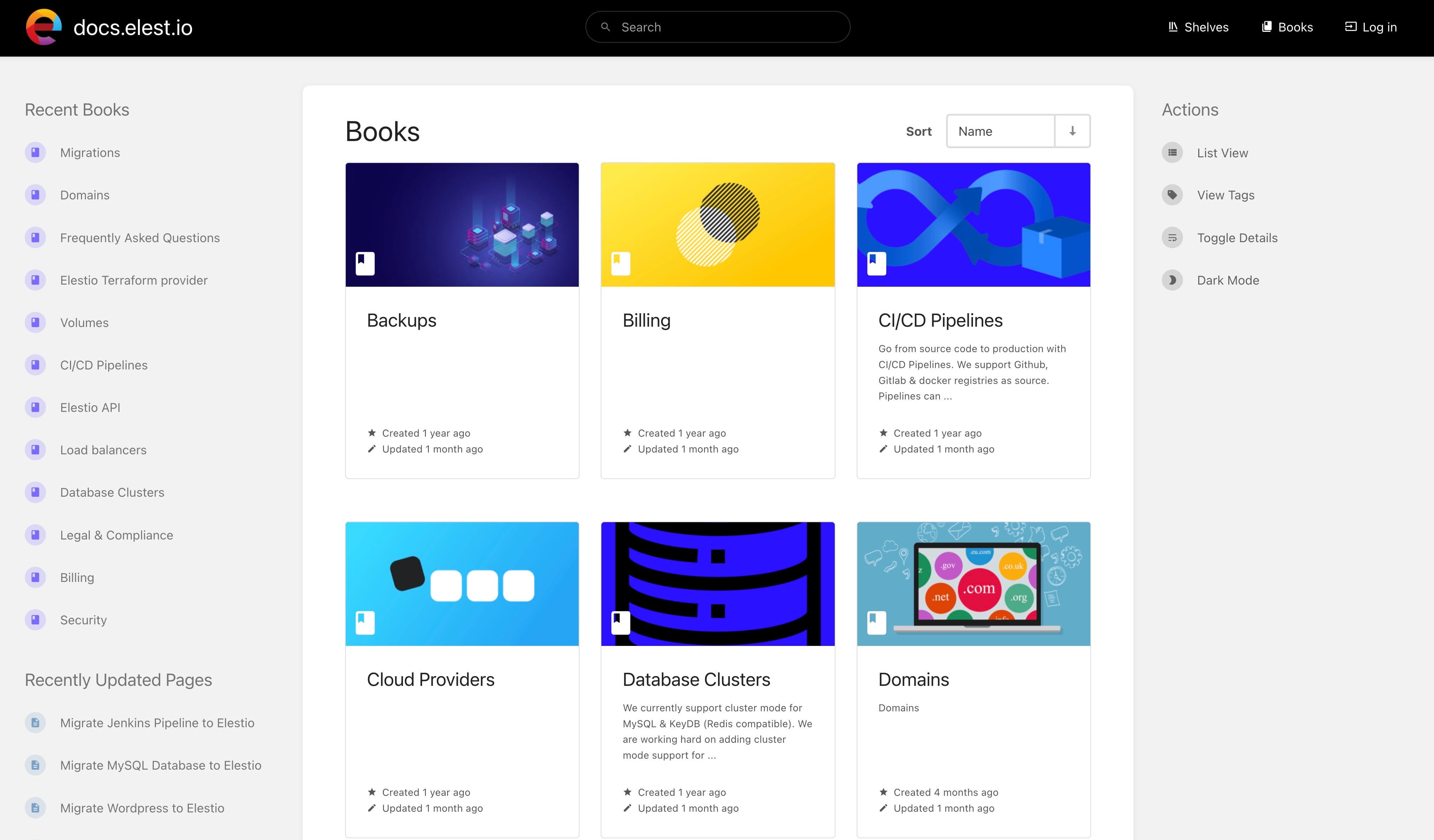
We provide a set of guides and documentation to help you get started with Weblate and Elestio. You can find them on our documentation website.
We have a community of users and developers on Discord. You can join it to ask questions, get help, and discuss with other users. Join our Discord server.
If you have any issue with your instance, you can open a support ticket from the administration dashboard. Our team will help you solve your issue as soon as possible.
You can also contact us by mail at [email protected] if you have any question regarding our services, pricing, or anything else.
Join thousands of developers who trust Elestio for fully managed hosting. Up and running in minutes, on any cloud.